
![⚡TimedItemX | Support MMOItems, ItemsAdder, Oraxen and more [1.8 - 1.21.8]](/data/resource_icons/0/421.jpg?1778773427)
❏ GENERAL
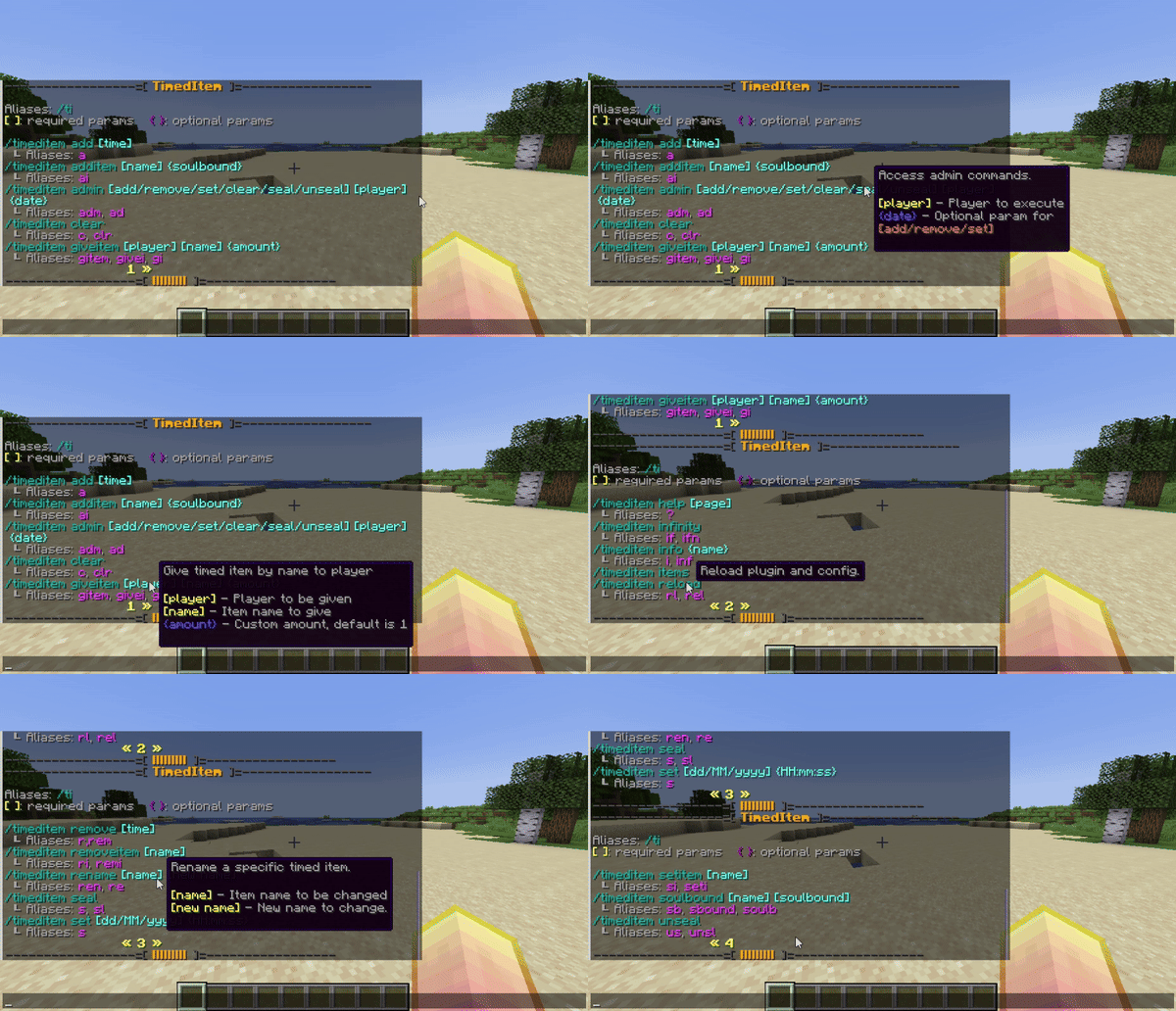
❏ COMMANDS
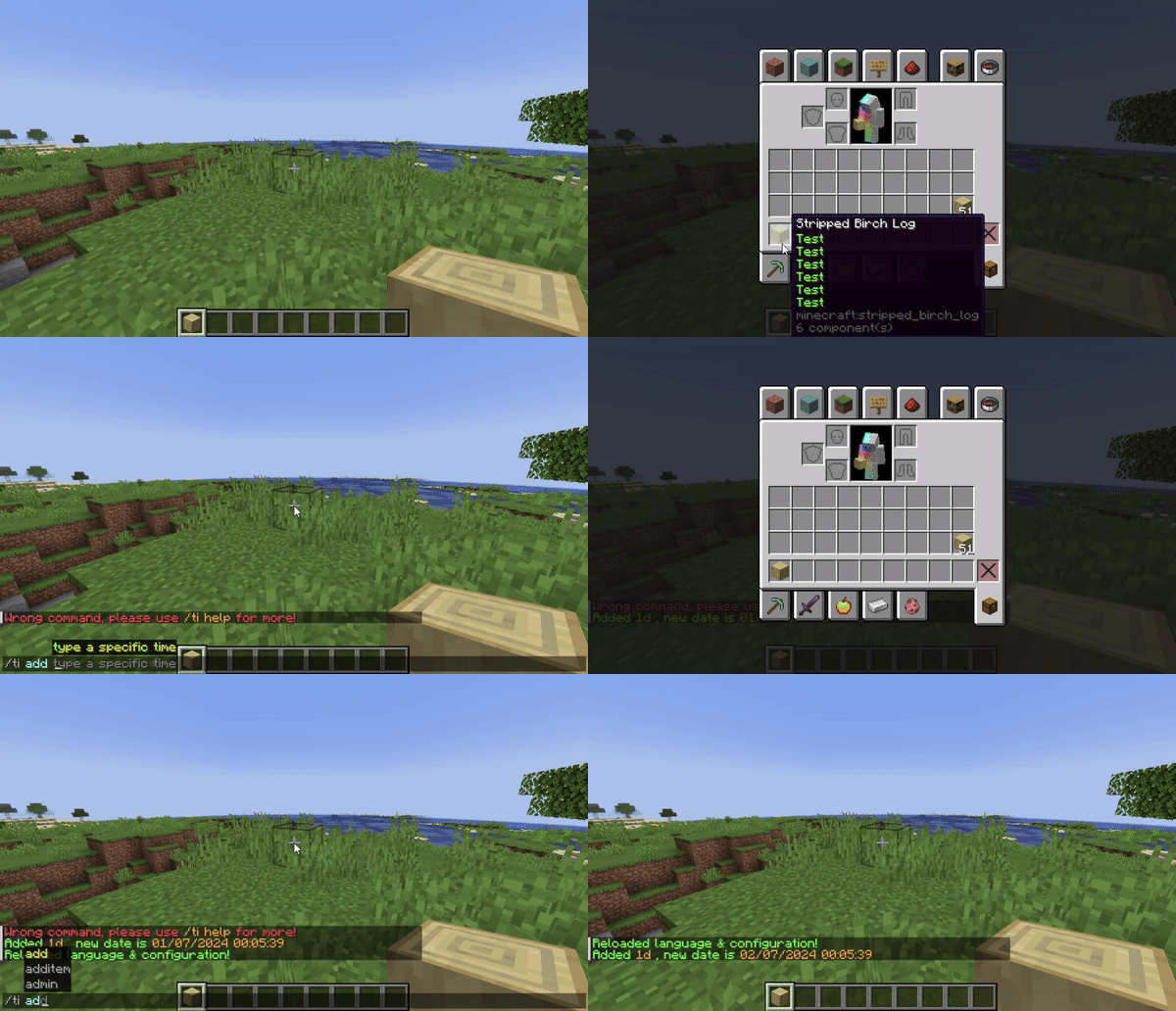
- /ti add [time]: Add expire time for item.
ex: /ti add 1d2h
- /ti additem [name]: Add timed item to collection.
ex: /ti add mySword
- /ti autosave: Open auto-saving options.
- /ti clear: Clear expire time from item.
- ti export: Export items data to database. (New)
- /ti giveitem [player] [name] [amount]: Give timed item to player.
- /ti import [true/false]: Import items data from database with overwrite options
- /ti infinity: Toggle infinity mode for timed item and it never expire.
- /ti info: Shows timed item information.
- /ti items: Shows timed item collection.
- /ti reload: Reload plugin.
- /ti remove [time]: Remove expire time from timed item.
ex: /ti remove 3d5h
- /ti removeitem [name]: Remove timed item from collection.
- /ti rename [name] [new-name]: Rename timed item from collection.
- /ti set <format>: Set expire time for item. (format can be edited in config.ym)
default format: dd/MM/yyyy HH:mm:ss
ex:
/ti set 12/07/2025 (without hour format)
/ti set 27/05/2023 13:17:29 (full format)
- /ti setitem <name>: Set new item for timed item in collection (must hold item in hand)
- /ti help <page>: Show paged help.
❏ PERMISSIONS
- timeditem.command.add
- timeditem.command.remove
- timeditem.command.clear
- timeditem.command.help
- timeditem.command.set
- timeditem.command.reload
- timeditem.command.additem
- timeditem.command.removeitem
- timeditem.command.getitem
- timeditem.command.giveitem
- timeditem.command.setitem
- timeditem.command.autosave
- timeditem.command.items
- timeditem.command.rename
- timeditem.command.infinity
- timeditem.command.info
- timeditem.command.import
- timeditem.command.export
- TimedItemX is plugin that allow player to create timed item.
- Support inventory check and world check.
- MMOItems integration.
- Add/remove/set/clear expire time for item.
- Admin GUI that allow staff to modify other player's item directly. (only apply with online player)
- Announce for player whenever their items is expired.
- Plugin also check for player inventory even they're offline and remove expired item, announce amount of expired items to player when they're online.
- Asynchronous inventory and world check.
- Add/remove timed item to collection.
- Give timed item to player by name from collection.
- Access to timed item's information.
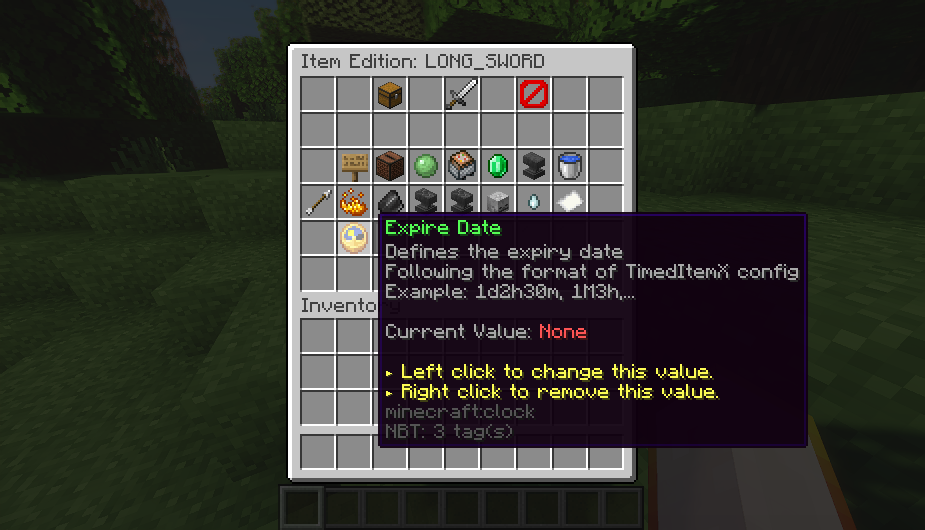
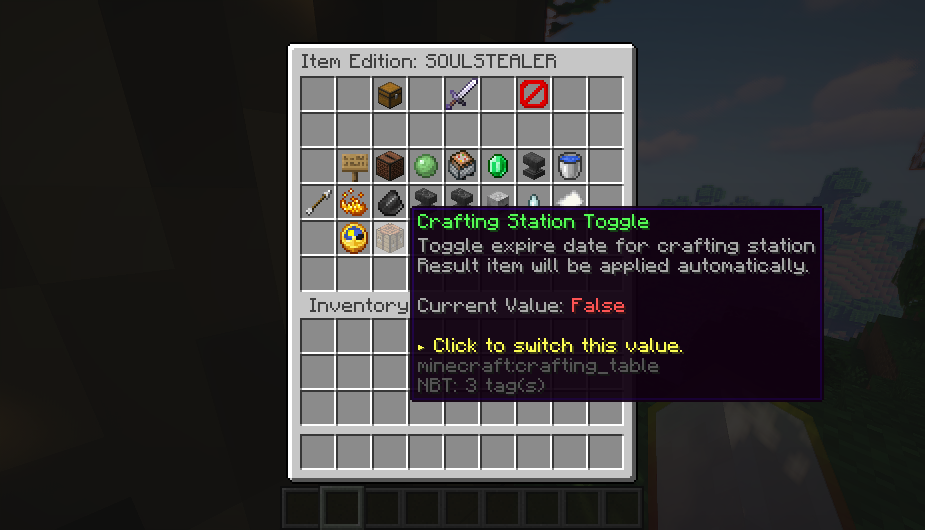
- Support MMOItems, add two custom stats that allow add expire date and toggle expire date on crafting station
- Support database, useful for you to sync data to other server (other database like MongoDB, ...etc is not supported yet)
- Flexible item lore, it will be updated automatically based on config (first/last/specific index)
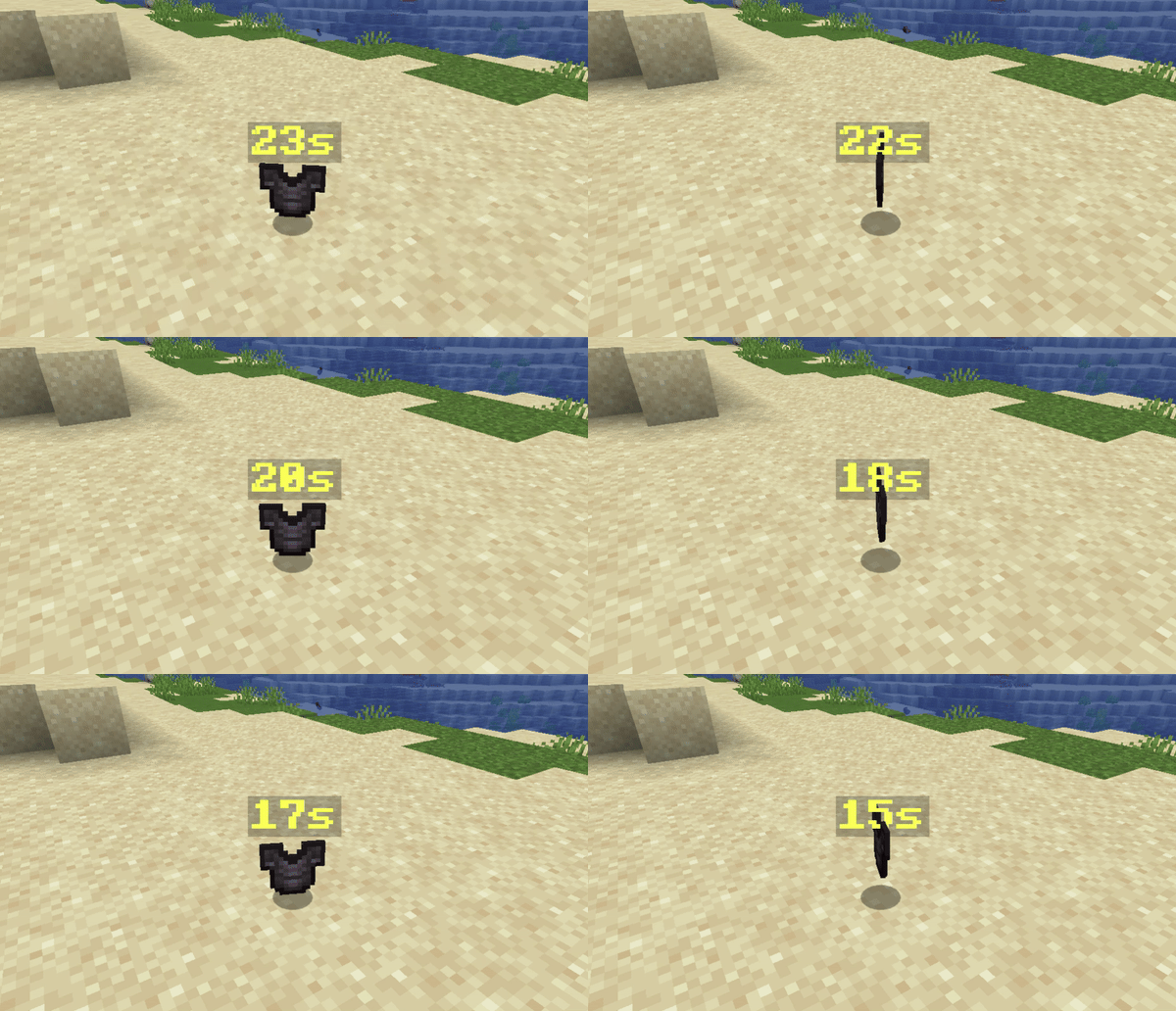
- Dropped timed item will display time left when it reach lower than time setup in config.
- Support ItemsAdder and Oraxen, auto add expire date to custom items based on config.
- Plugin can even check inside container like Chest, Ender Chest, Shulker Box, ... etc (can be toggled via config)
Code:
integrations:
# Hook with ItemsAdder plugin
  itemsadder:
    example-namespace: // ItemsAdder require namespace
      example-id: 1d
  # Hook with Oraxen plugin
  oraxen: # Oraxen just use one namespace so we just need type id and date
example-id: 1d- /ti add [time]: Add expire time for item.
ex: /ti add 1d2h
- /ti additem [name]: Add timed item to collection.
ex: /ti add mySword
- /ti autosave: Open auto-saving options.
- /ti clear: Clear expire time from item.
- ti export: Export items data to database. (New)
- /ti giveitem [player] [name] [amount]: Give timed item to player.
- /ti import [true/false]: Import items data from database with overwrite options
- /ti infinity: Toggle infinity mode for timed item and it never expire.
- /ti info: Shows timed item information.
- /ti items: Shows timed item collection.
- /ti reload: Reload plugin.
- /ti remove [time]: Remove expire time from timed item.
ex: /ti remove 3d5h
- /ti removeitem [name]: Remove timed item from collection.
- /ti rename [name] [new-name]: Rename timed item from collection.
- /ti set <format>: Set expire time for item. (format can be edited in config.ym)
default format: dd/MM/yyyy HH:mm:ss
ex:
/ti set 12/07/2025 (without hour format)
/ti set 27/05/2023 13:17:29 (full format)
- /ti setitem <name>: Set new item for timed item in collection (must hold item in hand)
- /ti help <page>: Show paged help.
❏ PERMISSIONS
- timeditem.command.add
- timeditem.command.remove
- timeditem.command.clear
- timeditem.command.help
- timeditem.command.set
- timeditem.command.reload
- timeditem.command.additem
- timeditem.command.removeitem
- timeditem.command.getitem
- timeditem.command.giveitem
- timeditem.command.setitem
- timeditem.command.autosave
- timeditem.command.items
- timeditem.command.rename
- timeditem.command.infinity
- timeditem.command.info
- timeditem.command.import
- timeditem.command.export


![Royal Knight Pack [16x]](/data/resource_icons/0/528.jpg?1778958674)
