

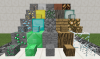
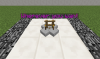
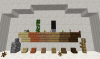
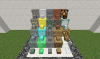
A MiniBlock plugin, where you can create your own MiniBlocks and you can create infinite of them. These Blocks can be placed wherever you want. Every Block is protected, and can also be named with colored Holographic Names.
MiniBlocks || MiniChests
Features:
Commands:
MiniBlocks || MiniChests
Features:
- MiniBlocks
- BlockProtection
- MiniBlocks placement can be wherever you want
- Names displayed above the Blocks
- Holographic Names also with colors
Commands:
- /miniblocks | /mb - main command of the plugin
- /mb help - opens the helpmenu
- /mb reload - reloads the config
- /mb <itemID> - summons a MiniBlock
- /mb <itemID> <layer 5 / -5>
- summons a MiniBlock on different layers
- /mb <itemID> <layer 5 / -5> <name>
- summons a MiniBlock on different layers with name
- /mb break - to break blocks in the "Break-Mode"
- miniblocks.* - gives you access to every command and feature
- miniblocks.reload - gives access to reload command
- miniblocks.build - gives access to summon MiniBlocks
- miniblocks.break - gives access to break blocks in the "Break-Mode"
- Credits and Info
- Minecraft v1.8.x +
- Download MiniBlocks.jar
- Put MiniBlocks.jar into your Plugins folder
- Run Minecraft 1.8.x and the Plugin should work perfectly!
![EpicWorldGenerator MODERN [1.21.11 / 26.1.2 / 26.2] Now with Multiverse Support! (EWG)](/data/resource_icons/0/839.jpg?1782116339)


